RFID tools
Introduction
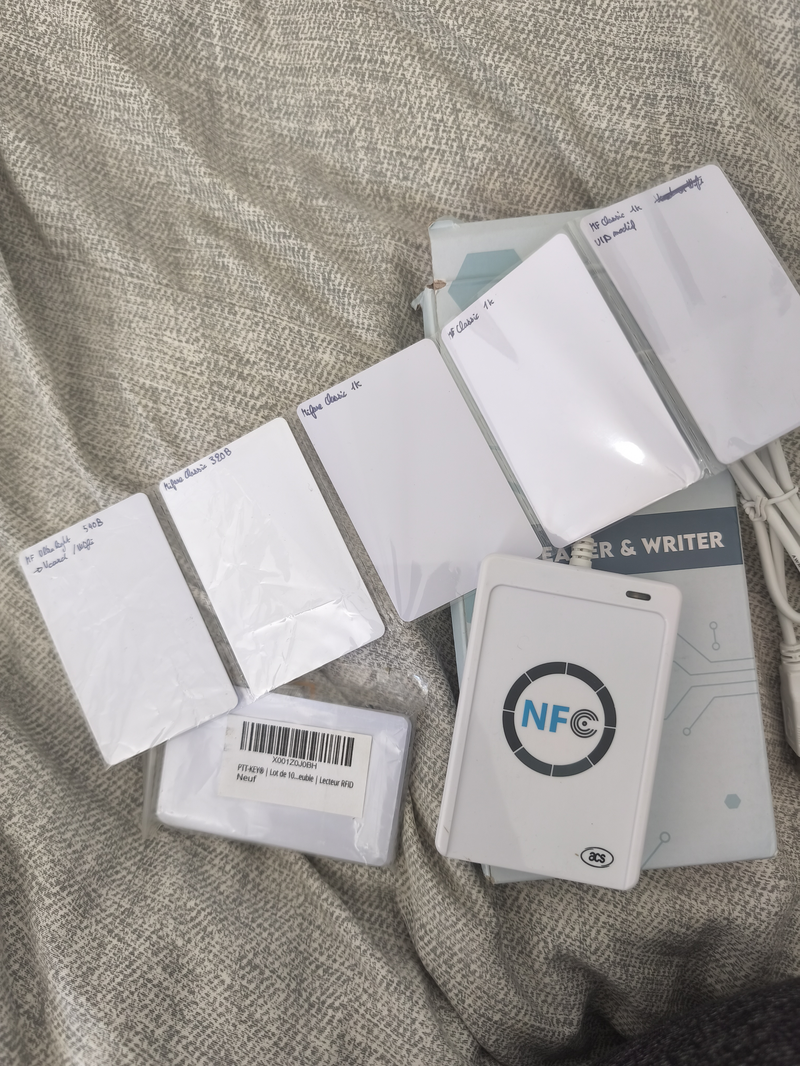
A few years ago, I bought on Amazon an ACR122U RFID read/write device.
Here is the curated list of tools and instructions to work with it, as they are under‑documented.
I will focus on MIFARE Classic tags, which are a special (while widespread) kind of tag.
Specs
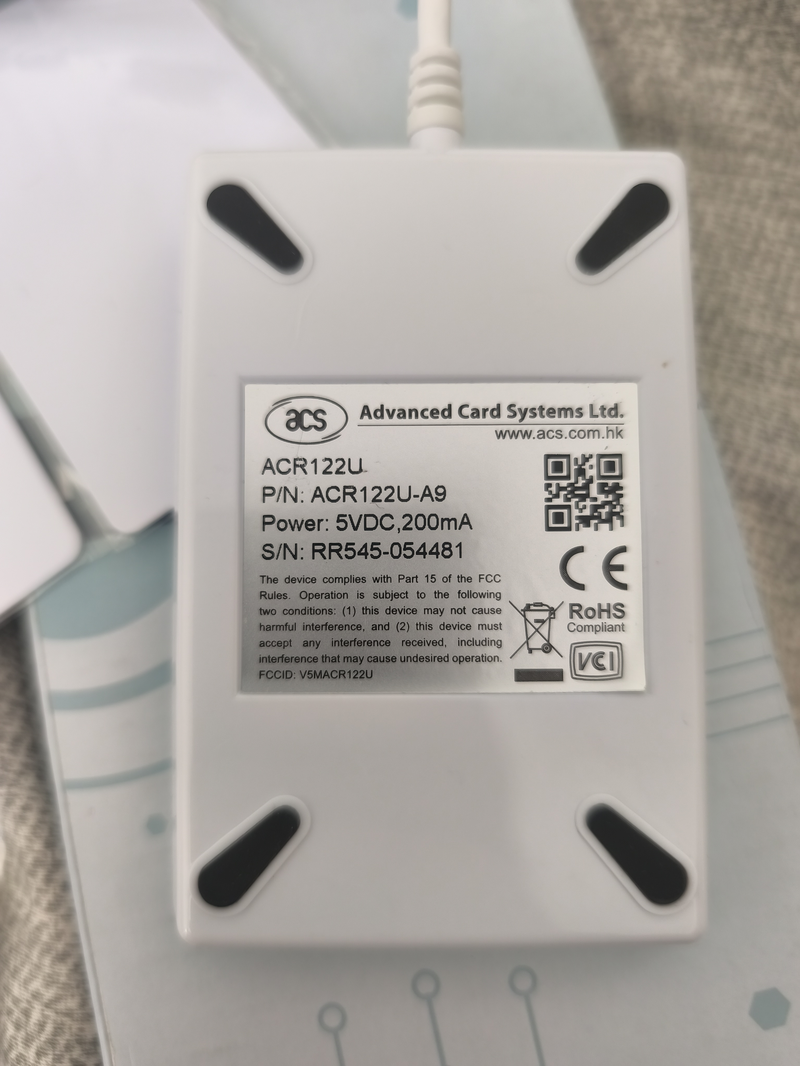
- Reader: ACR122U (
072f:2200), firmware ACR122U216 - Mifare Classic (only). NTAG does not work.
Copying a Tag
The first use‑case I worked on is copying an RFID door tag.
In physical shops, duplicating a tag would cost 30 €, while the RFID card/tag costs less than 1 € (but my reader cost 40 € XD).
There are two steps:
- Collect the data from the physical device.
- Upload the data to the second empty device.
This section covers the first step.
The tool I would recommend is mfoc (GitHub).
There are other versions like mfoc-hardnested and mfuck, which are able to discover unknown keys.
mfoc works with a key list, and brute force the tag.
Warning about Tag Access
There are several scheme for door access:
- Data‑based (most frequent): Some encrypted data are stored on the card. The data are encrypted so it is hard to copy. Authentication works if the decrypted data match what the reader expects.
- ID‑based: Each RFID tag has an ID set at the factory. In most cards you cannot change it (but on some you can). This type of authentication is not common for building access, because you need to
1) collect the ID of the device, and
2) configure readers with the IDs (most readers are not network‑connected, so this would require high maintenance fees). - Counter‑based: A variant of the data‑based scheme adds a counter to a stored code. Each time you authenticate, the counter in the card is incremented. The authentication system tracks the counter, so a copied tag that starts with the same counter will be rejected because the counters no longer match. As with ID‑based access, this is also uncommon, since the reader requires network access (if there is more than one reader) and creating a new legitimate tag would incur high maintenance fees.
Thus, you are unlikely to encounter cases 2 and 3 (I have copied a dozen different tags; all were case 1).
However, you may run into the latter two, especially case 3, which can be difficult to bypass.
Driver Configuration
Not very sexy, but first we need to prevent existing drivers from handling the device.
The ACR122U must be accessible by your user. This involves two steps:
a) Add a udev rule
cat <<'RULE' | sudo tee /etc/udev/rules.d/99-acr122u.rules
SUBSYSTEM=="usb", ATTR{idVendor}=="072f", ATTR{idProduct}=="2200", GROUP="plugdev", MODE="0664", RUN+="/bin/sh -c 'chown root:plugdev /sys%p/authorized && chmod g+w /sys%p/authorized'"
RULE

sudo udevadm control --reload-rules && sudo udevadm trigger
This rule does two things:
- Grants USB device access to the
plugdevgroup (so scripts can talk to the reader) - Makes the sysfs
authorizedfile group-writable (so the auto-reset works without sudo)
Your user must be in the plugdev group (check with groups $USER).
After changing the udev rule, unplug and replug the reader for it to take effect.
b) Blacklist the kernel NFC driver
The Linux kernel includes a built-in driver (pn533_usb) that claims the ACR122U before nfcpy
can reach it. Blacklist it:
echo 'blacklist pn533_usb' | sudo tee /etc/modprobe.d/nfcpy.conf
echo 'blacklist nfc'       | sudo tee -a /etc/modprobe.d/nfcpy.conf
sudo modprobe -r pn533_usb nfc
Unplug and replug the ACR122U. Both steps above persist across reboots.
Decrypting a Tag
On a computer, decrypting means you have ciphertext you cannot read.
You can duplicate the tag with no issue, but you still cannot read the duplicated version.
With RFID tags, keys are used for reading the tag. If you do not have the key, you have no access to the data, so you cannot copy it!
To collect data from a tag we must find the keys (there are multiple keys for different blocks).
Online you can find lists of “common keys” to brute‑force the card.
Bruteforcing tool
There are 3 tools available:
mfoc: needs a list of keys to iterate on.mfoc‑hardnested: if one key is known, it can discover the others.mfcuk: if no key is known, it can find them.
For list of common keys, check this file: extended-std.keys.
When you recover the keys of your Mifare Classic card, you get automatically the dump (keys are in the dump. You will need to extract them for next time, instead of testing each key one after the other.)
Modifying a Tag.
To copy a tag (S = source), you need a blank tag (T).
If the target tag is not blank, you must first get a dump of it (so the keys are included).
Then you can copy with libnfc tools:
nfc-mfclassic W A u <dump_source> <dump_target>
If the card you are writing to is blank, you do not need the <dump_target> argument; it is only required to unlock a non‑blank card.
For some tags, you can modify the UID (the first block). Most cannot do that, so you may need to modify the command accordingly.
Github for the tools
I have created Dockerfiles so it is easy to play with the tools (there is a small overhead, but the installation works on any system).
The images are 500MB (+/- 100MB) each.
>> You can subscribe to my mailing list here for a monthly update. <<