Taking control of Kobo Clara HD
Introdution
I have an e-ink reader, a Kobo Clara HD.
I wanted to know how to customize it / how to run extra stuff on it.
Claude Code told me that Kobo Clara runs Linux, and that there is no need to jailbreak. So, starting should be easy.
Since jailbreaking is not necessary, the first step for this learning path is to install something common on the device. Just follow a tutorial, see if everything is OK, and only then start doing your own stuff, so you understand the process and what you will need to do.
Here is my (short) journey to install custom software on my Kobo
Installing an Alternative Reader
What most people want to install first on a eink reader is an alternative reader (because they do not like the current one ?).
The suggested option is the koreader
On the kobo install steps, page there are three install methods.
- In the first, you need to follow instructions on an outdated forum with tiny fonts, screenshots, …
- In the second, it seemed easier, but it failed for me.
After struggling over the two tutorials, I found my way my joining both information.
Here are the curated instructions.
Get the NickelMenu
The NickelMenu is “a new button menu” that will appear in the bottom menu bar. At the start the menu is empty. You will add entries for your apps. which is why it is important to install it.
Adding an “AntiSync” config line
First, update a config file to prevent NickelMenu from looking at special folders.
vim <path_to_kobo>/.kobo/Kobo/Kobo eReader.conf
Add the twolines (or merge them with an existing section):
[FeatureSettings]
ExcludeSyncFolders=(\\.(?!kobo|adobe).+|([^.][^/]*/)+\\..+)
Install NickelMenu
- Go to Github > NickelMenu > Releases
- In the latest release, download
KoboRoot.tgz - Connect your Kobo reader.
- Show “hidden files”
- Open the
.kobo/directory - Put the
KoboRoot.tgzthere (do not decompress it) - Disconnect the kobo
- Wait for the device to sync
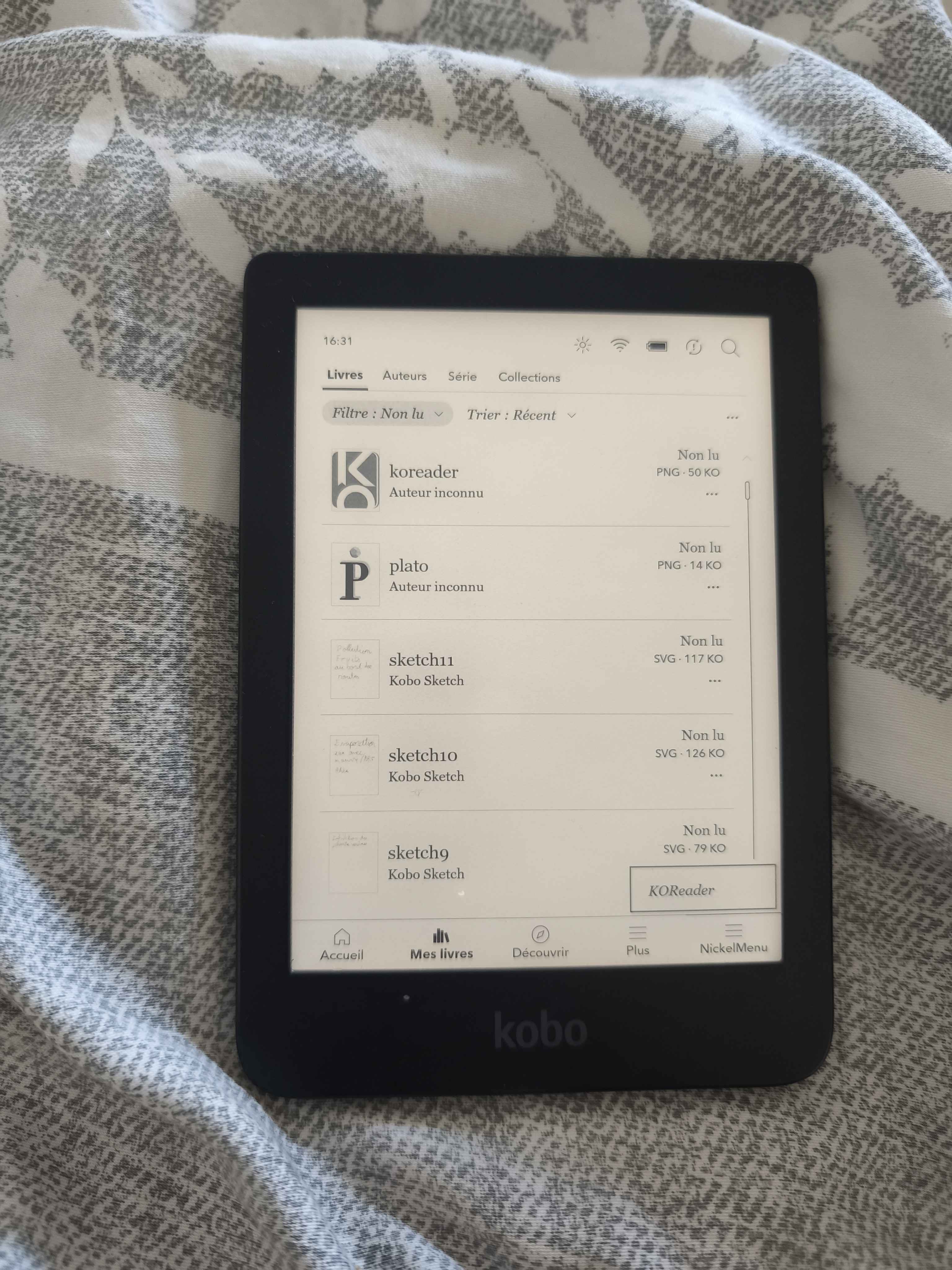
The NickelMenu should appear with no entries
For me, after restarting (install was OK), the KoboRoot.tgz automatically disappeared.
Install the KoReader
The KoReader is an alternative reader. At the moment, I would not say it is better than the existing one, but it does offer many additional functionalities (making the UX a bit richer).
- Go to Github > koreader > Releases
- Expand the list of assets (it is long)
- Find the file named
koreader-kobo-v****.zipand download it. - Extract the archive on your computer
- Move to the extracted folder to the correct location
Depending on how the archive extracts, you may end up with a nested folder.
Suppose you get:
koboreader-kobo-v2025.10/
  koreader/
    a_bunch_of_files_and_folders
  koreader.png
In the Kobo root directory, create a .adds/ folder if it does not already exist (I’m not sure whether NickelMenu creates it).
Move the koreader folder into .adds/ so you have:
.adds/
  koboreader/
    a_bunch_of_files_and_folders
For the icon, I do not know where to put it. Not a big deal.
- Add a menu entry
The entries are not added automatically.
- Create a folder under
.adds/namednm/(it may already exist). - Inside that folder create a new file (no special extension needed).
vim <path_to_kpbo>/.adds/nm/
Add the following line:
menu_item:main:KOReader:cmd_spawn:quiet:exec /mnt/onboard/.adds/koreader/koreader.sh
- Disconnect your Kobo and wait for it to restart.
The menu should now contain one entry: KoReader.
>> You can subscribe to my mailing list here for a monthly update. <<